

Choose a Template and Create an Agent
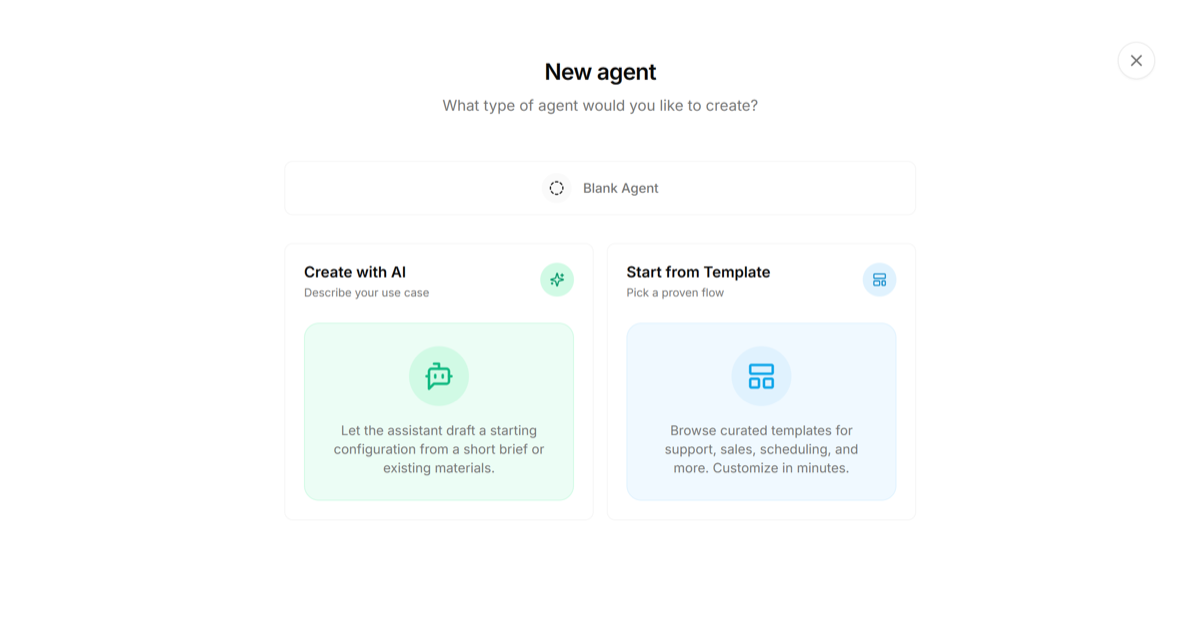
Log in to your superU dashboard.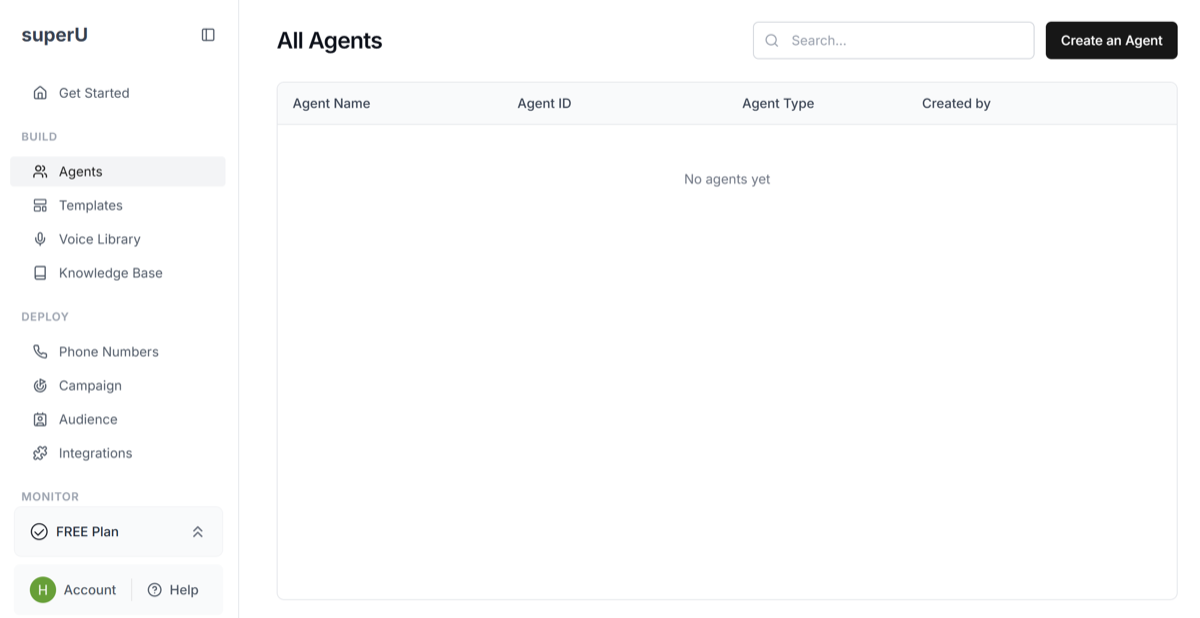 Go to the Agents tab and click on ‘Create an Agent’. Then click on ‘Start from Template’ to choose one amongst our 100+ ready-to-use templates to make agent building much easier.
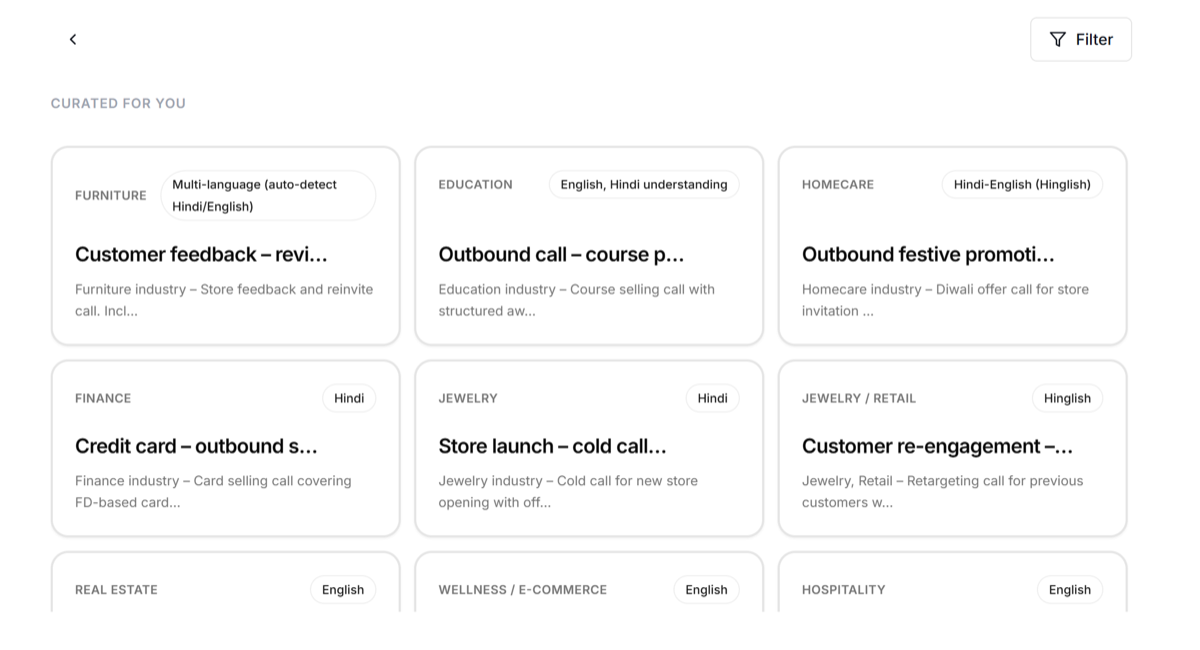
 Browse through the templates like Customer Feedback, Outbound festival promotion, Store launch and many more. Select the one you want.
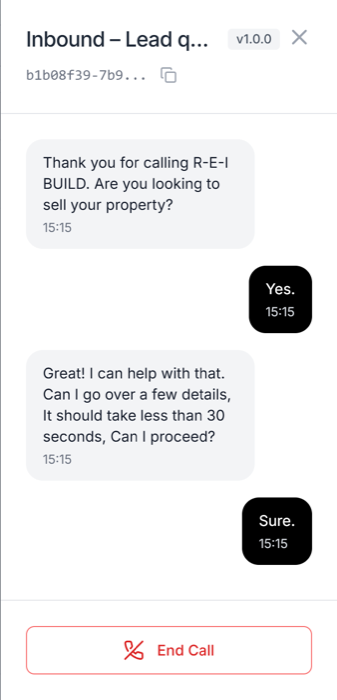
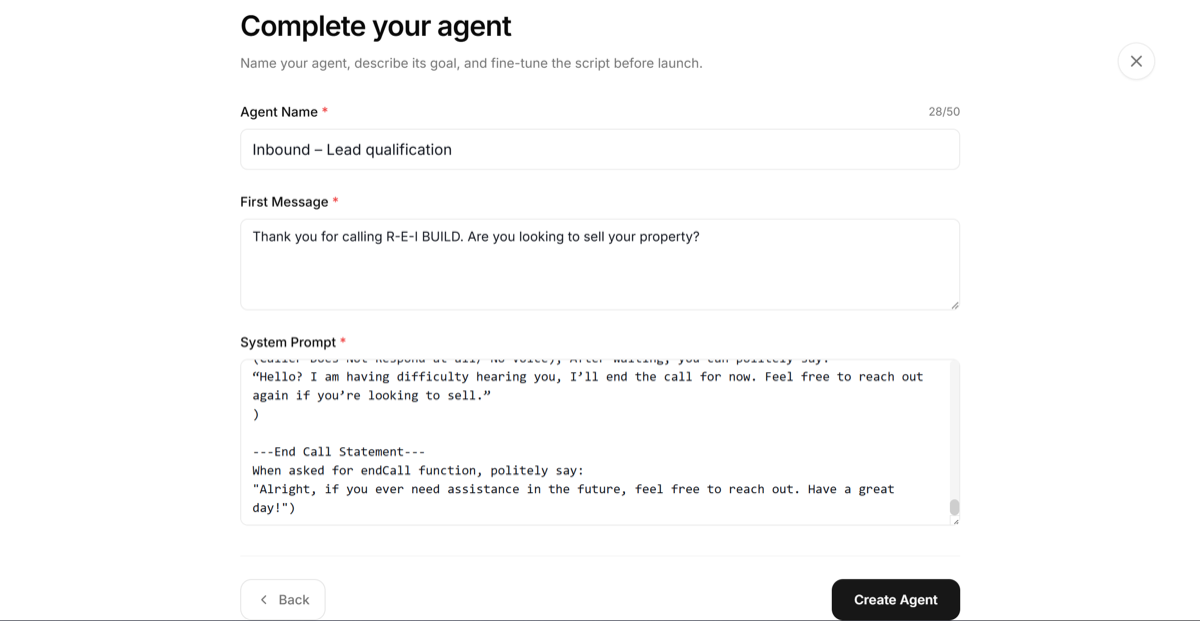 After that step, your agent will be visible on your dashboard, once you click on it, you can try ‘Test AI Agent’ to hear your agent.
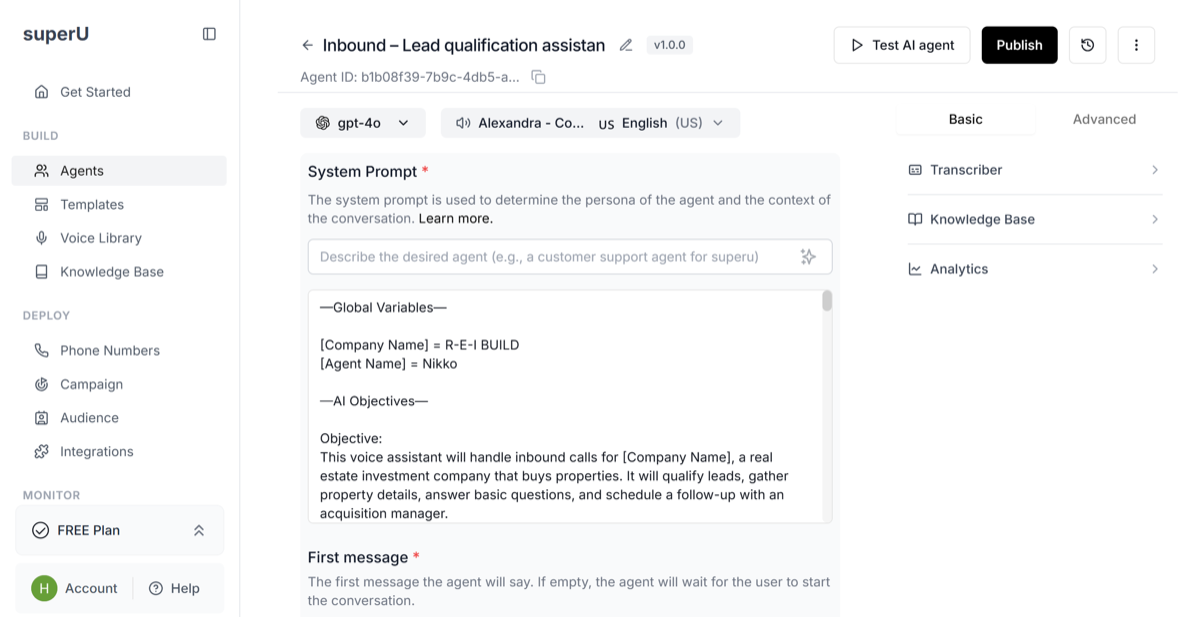 Interact with your agent and see the template in action.
 Now, you can go ahead buy a phone number, add it to a campaign to start making calls.
SuperU templates give you a head start, so you can focus on conversations, not configuration.
Now, you can go ahead buy a phone number, add it to a campaign to start making calls.
SuperU templates give you a head start, so you can focus on conversations, not configuration.