

Why You Need a Number
Every live call made through superU AI runs through a verified phone number. Buying your own number ensures your calls look professional, helps track campaigns, and allows inbound calls to reach your agent directly. You can choose local or international numbers depending on where your customers are.Buy a Phone Number
Log in to your superU workspace and go to the Phone Numbers tab from the left menu.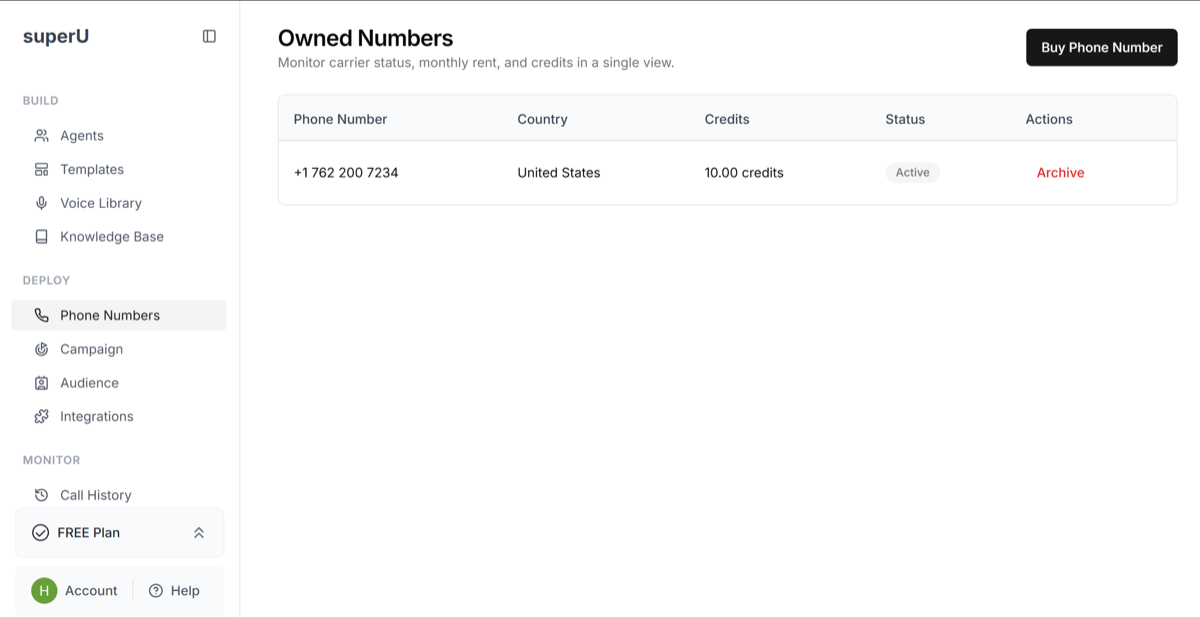 Click “Buy New Number” after choosing a country or region. You’ll see a list of available numbers.
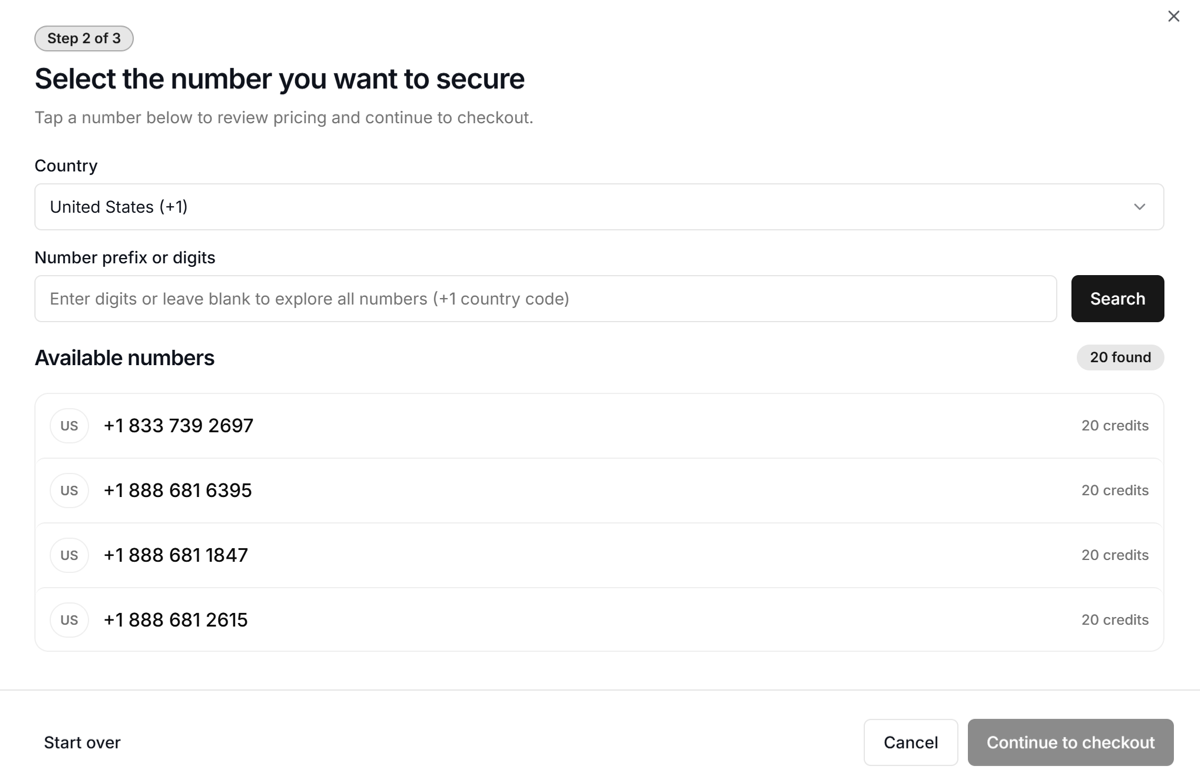 Pick the area that matches your customer base. We offer phone numbers of major countries. For example, if you serve clients in the US, choose a US number for a US-based caller ID.
Once you select a number, review the details and click Buy Number. The number will be added to your workspace instantly.
You’ll now see your purchased number listed under Phone Numbers with its status set to Active.
Pick the area that matches your customer base. We offer phone numbers of major countries. For example, if you serve clients in the US, choose a US number for a US-based caller ID.
Once you select a number, review the details and click Buy Number. The number will be added to your workspace instantly.
You’ll now see your purchased number listed under Phone Numbers with its status set to Active.
Connect the Number to Your Agent
For Outbound Calls: Open the Phone Numbers tab in your dashboard. Once purchased, assign that number to your outbound agent.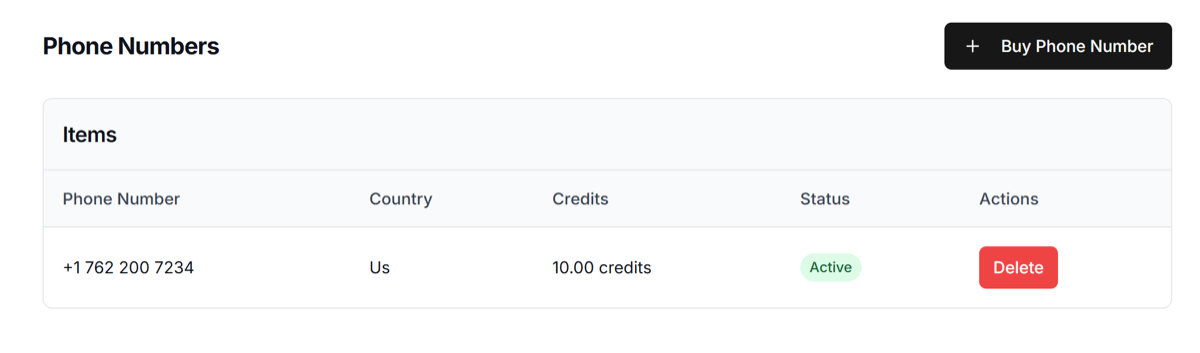 This will be the caller ID shown when your agent makes calls.
For Inbound Calls:
Go to the Campaign tab in your superU dashboard and create an inbound campaign. Select the phone number you’ve purchased and assign your inbound agent to it.
This will be the caller ID shown when your agent makes calls.
For Inbound Calls:
Go to the Campaign tab in your superU dashboard and create an inbound campaign. Select the phone number you’ve purchased and assign your inbound agent to it.
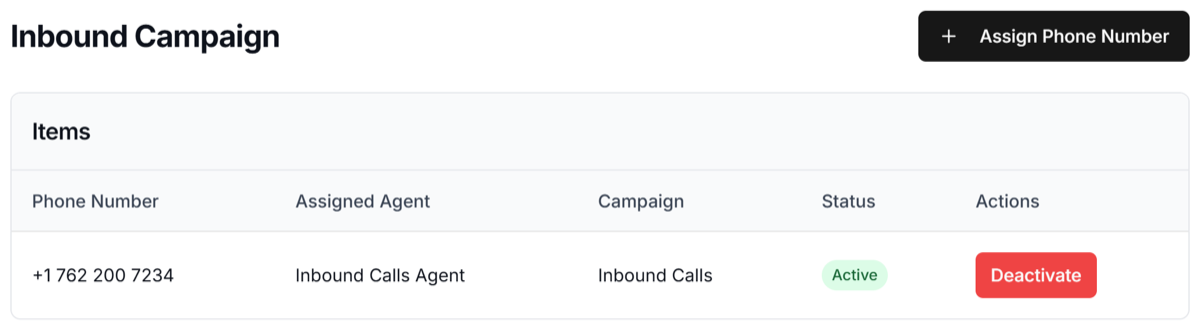 Once assigned, the campaign status will change to Active, and your agent will be ready to receive live incoming calls.
Once linked, your AI agent can start making and receiving calls instantly. It will all be visible and trackable from your superU dashboard.
Once assigned, the campaign status will change to Active, and your agent will be ready to receive live incoming calls.
Once linked, your AI agent can start making and receiving calls instantly. It will all be visible and trackable from your superU dashboard.