

Try the API in Google Colab
Want the full hands-on experience without setting up a local project? Open our ready-to-run Google Colab notebook with all core API functions already configured for you to test.Open the SuperU API Colab
Run SuperU API examples directly in your browser and experiment with agents, calls, tools, contacts, audiences, and knowledge bases.
Authentication
Use your API key in thesuperU-Api-Key header for all secured endpoints.
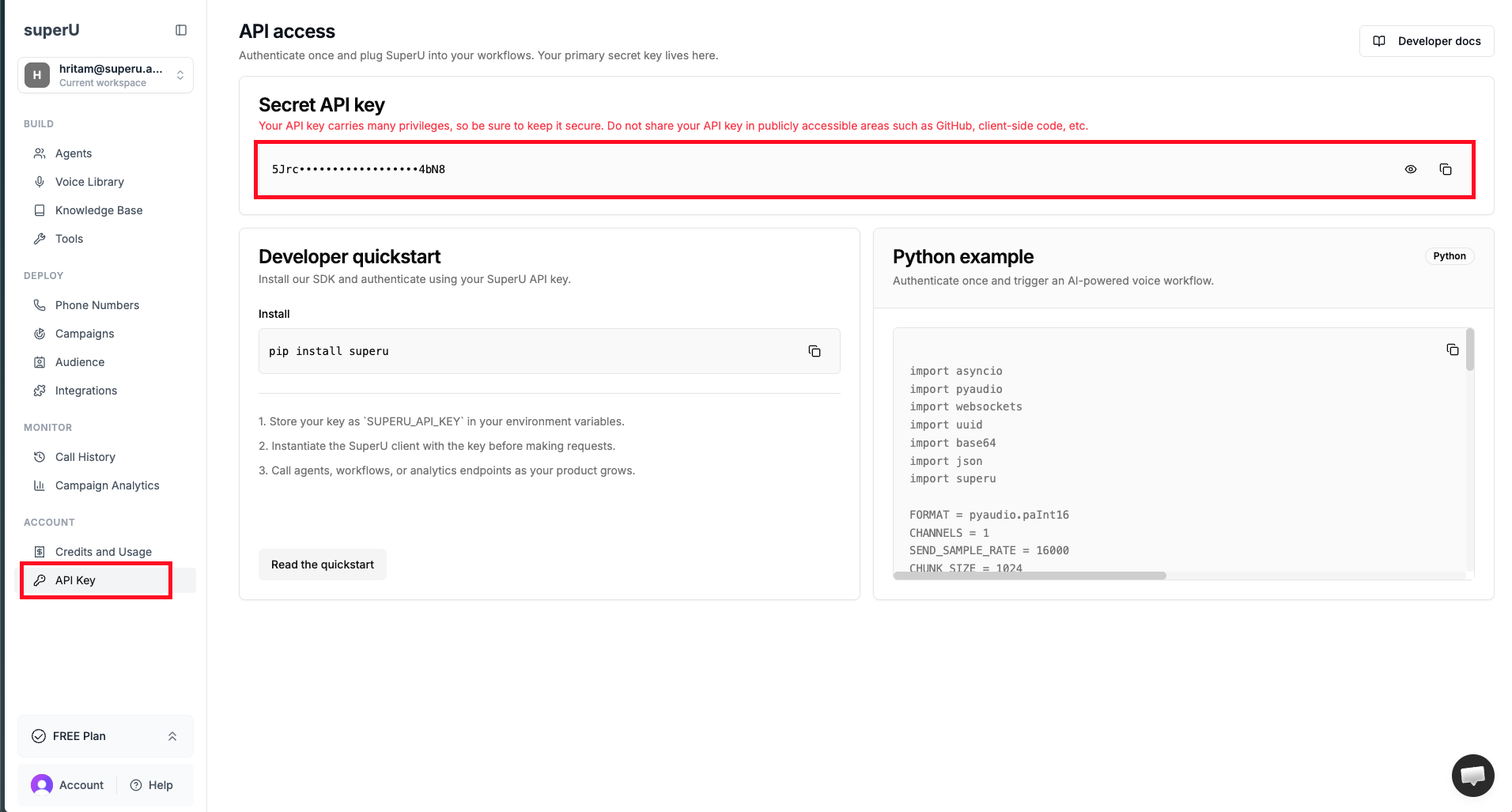
Where to find your API key
You can generate and copy API keys from the SuperU dashboard.- Go to workspace.superu.ai
- Open the API keys section
- Copy the existing key and use it
Installation
Quick Start Example
Python
API Playground
Every endpoint page in this section includes:- Interactive
Try itrequests - Auto-generated request examples
- Copy-ready code examples in
cURLandPython - Success and error response blocks
Common Status Codes
These status codes are now documented across the API, including endpoint-level error examples.200Success201Created400Bad Request401Unauthorized404Not Found500Internal Server Error501Not Implemented