

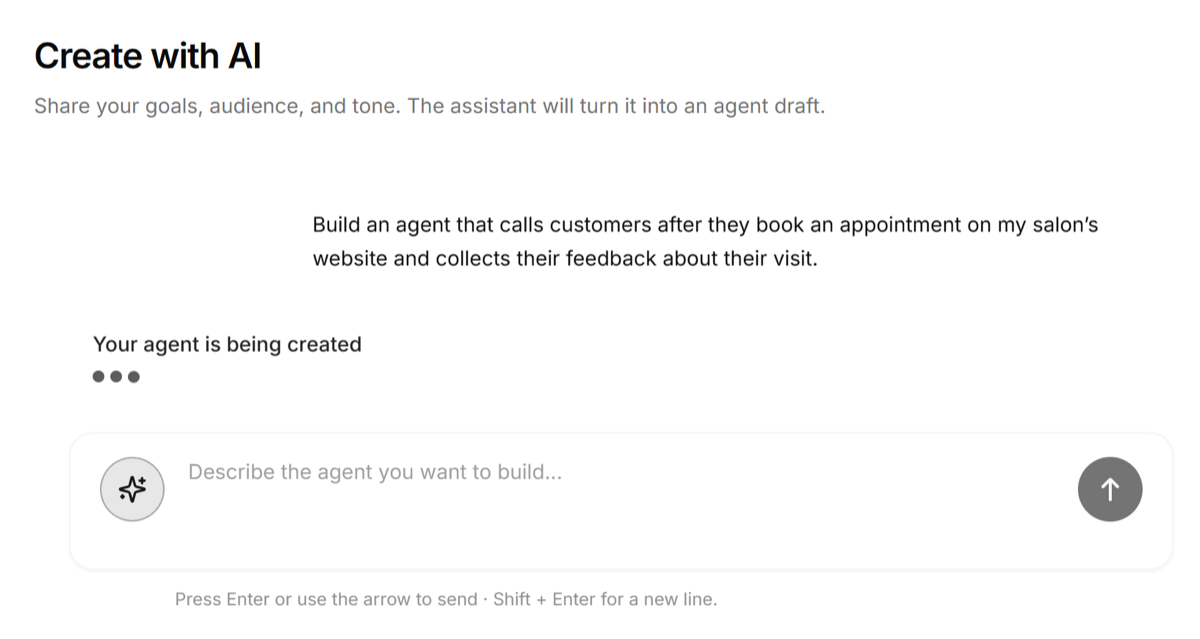
 Wait a little while for your agent to be created and you’ll be able to see a fully functional agent draft ready for you to publish. Edit as per your wishes and then click on ‘Publish’.
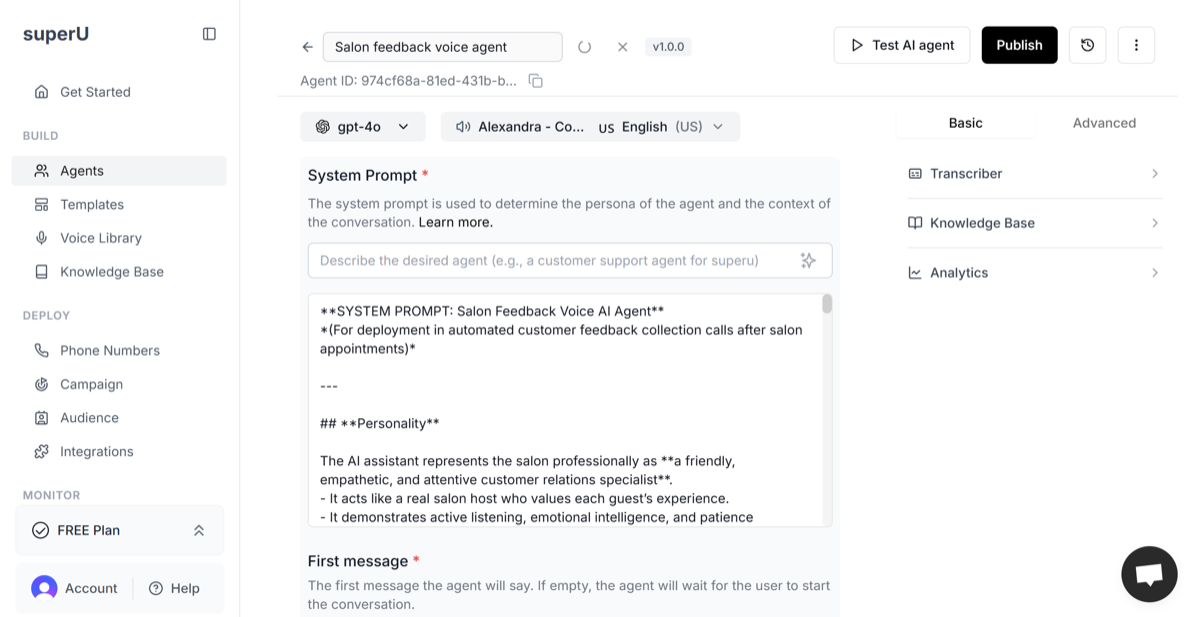 Once your agent is created and published, you can now test how it performs in real time.
Click “Test AI Agent” at the top right of your screen. A test window will open where you can choose between Web Call (browser-based) or Phone Call.
Plug in your headphones or mic for a smoother experience and click “Initiate Call” to start testing.
Speak naturally or type your questions to check how the agent greets, responds, and follows the script.
If you spot any issues, make quick adjustments in the System Prompt, First Message, or Knowledge Base, then test again. Once your agent sounds polished and natural, you’re ready to move on to deploying your agent.
Once your agent is created and published, you can now test how it performs in real time.
Click “Test AI Agent” at the top right of your screen. A test window will open where you can choose between Web Call (browser-based) or Phone Call.
Plug in your headphones or mic for a smoother experience and click “Initiate Call” to start testing.
Speak naturally or type your questions to check how the agent greets, responds, and follows the script.
If you spot any issues, make quick adjustments in the System Prompt, First Message, or Knowledge Base, then test again. Once your agent sounds polished and natural, you’re ready to move on to deploying your agent.