> ## Documentation Index
> Fetch the complete documentation index at: https://docs.superu.ai/llms.txt
> Use this file to discover all available pages before exploring further.
# Build Your First AI Agent
> Create your superU AI voice agent from scratch.
Go to the [superU Dashboard.](https://workspace.superu.ai/dashboard) and sign up to your workspace.
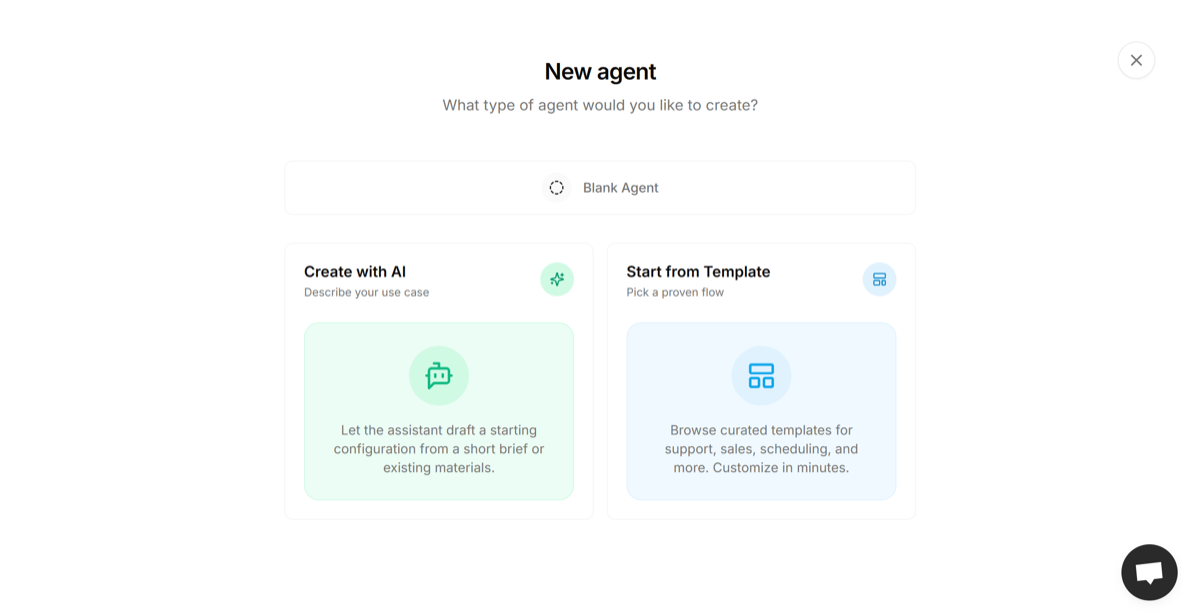
Choose how you want to build your agent. You can start from scratch, let AI create one from your brief, or pick a ready-made template to get started quickly.
 ## Start from Scratch
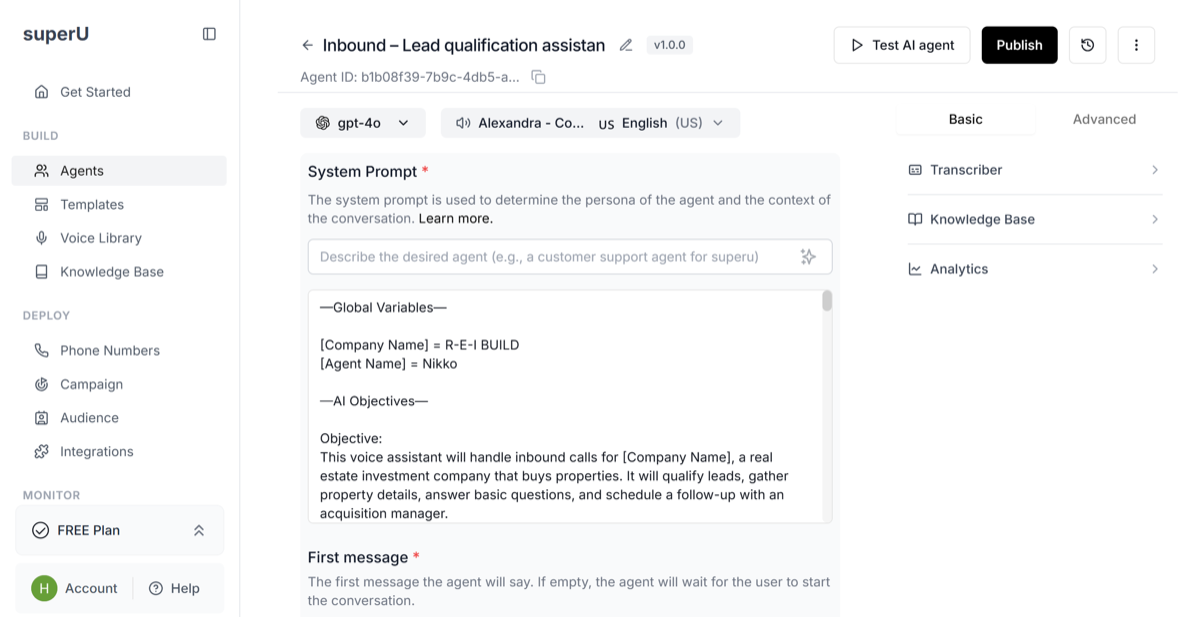
If you choose to start from a blank agent, you'll begin by setting up the basics: pick a voice, language, and model, then describe what your agent should do. You'll also add the system prompt to define its personality and write the first message it'll say on a call.
## Start from Scratch
If you choose to start from a blank agent, you'll begin by setting up the basics: pick a voice, language, and model, then describe what your agent should do. You'll also add the system prompt to define its personality and write the first message it'll say on a call.
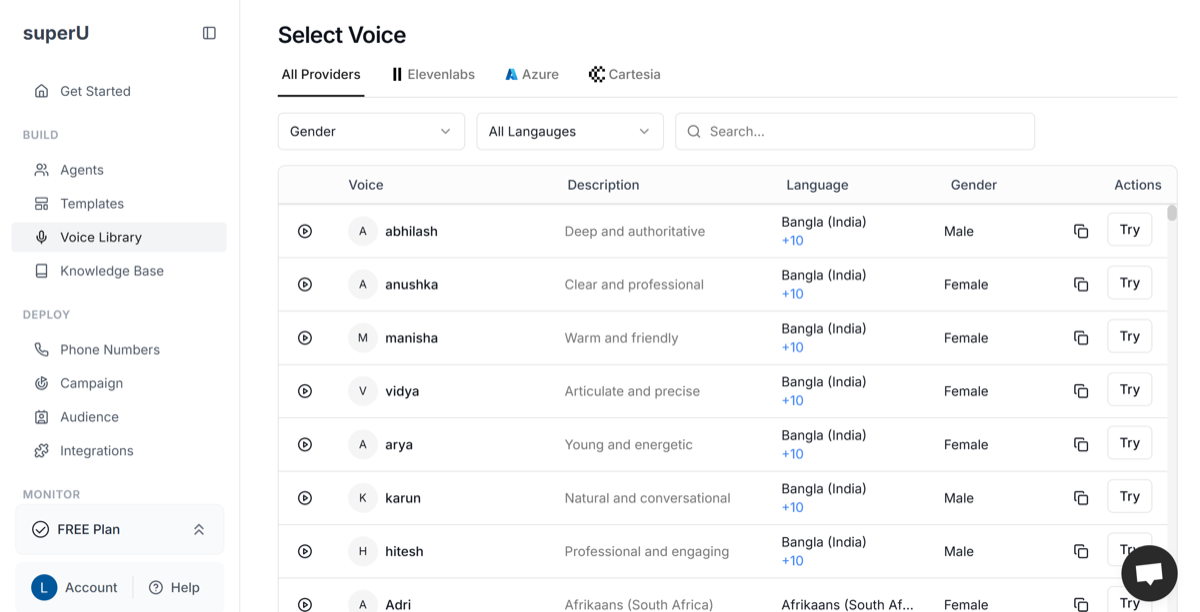
 Browse the **Voice Library** from the sidebar, filter by provider, gender, or language, and play a few samples to find one that matches your agent's tone and personality. Keep your preferred voice in mind for later since you can change it anytime from your agent settings.
 ## Test Your Agent
Once your agent is created and published, you can now test how it performs in real time.
Click **"Test AI Agent"** at the top right of your screen. A test window will open where you can choose between **Web Call** (browser-based) or **Phone Call**.
Plug in your **headphones or mic** for a smoother experience and click **"Initiate Call"** to start testing.
## Test Your Agent
Once your agent is created and published, you can now test how it performs in real time.
Click **"Test AI Agent"** at the top right of your screen. A test window will open where you can choose between **Web Call** (browser-based) or **Phone Call**.
Plug in your **headphones or mic** for a smoother experience and click **"Initiate Call"** to start testing.
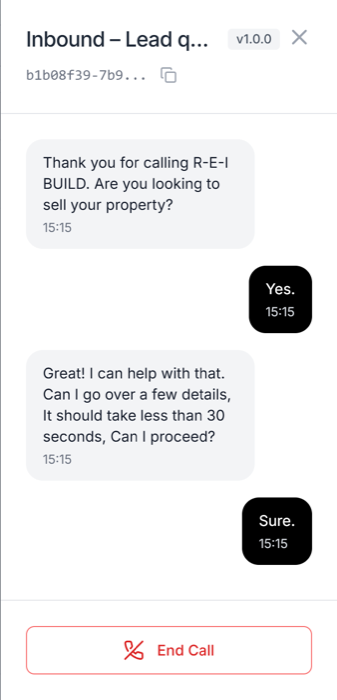 Speak naturally or type your questions to check how the agent greets, responds, and follows the script.
If you spot any issues, make quick adjustments in the **System Prompt**, **First Message**, or **Knowledge Base**, then test again. Once your agent sounds polished and natural, you're ready to move on to deploying your agent.
Speak naturally or type your questions to check how the agent greets, responds, and follows the script.
If you spot any issues, make quick adjustments in the **System Prompt**, **First Message**, or **Knowledge Base**, then test again. Once your agent sounds polished and natural, you're ready to move on to deploying your agent.